Integraciones
Chatbot de Pipedrive vs asistente IA web: cuándo usar cada uno
Compara los playbooks del chatbot LeadBooster de Pipedrive con un asistente IA web anclado en conocimiento. Cuándo usar cada uno, ambos, y enviar leads cualificados a Pipedrive.
Autor
The EngageLayer product & content team — guides on AI website assistants, knowledge-grounded answers, and B2B lead qualification.
Respuesta rápida
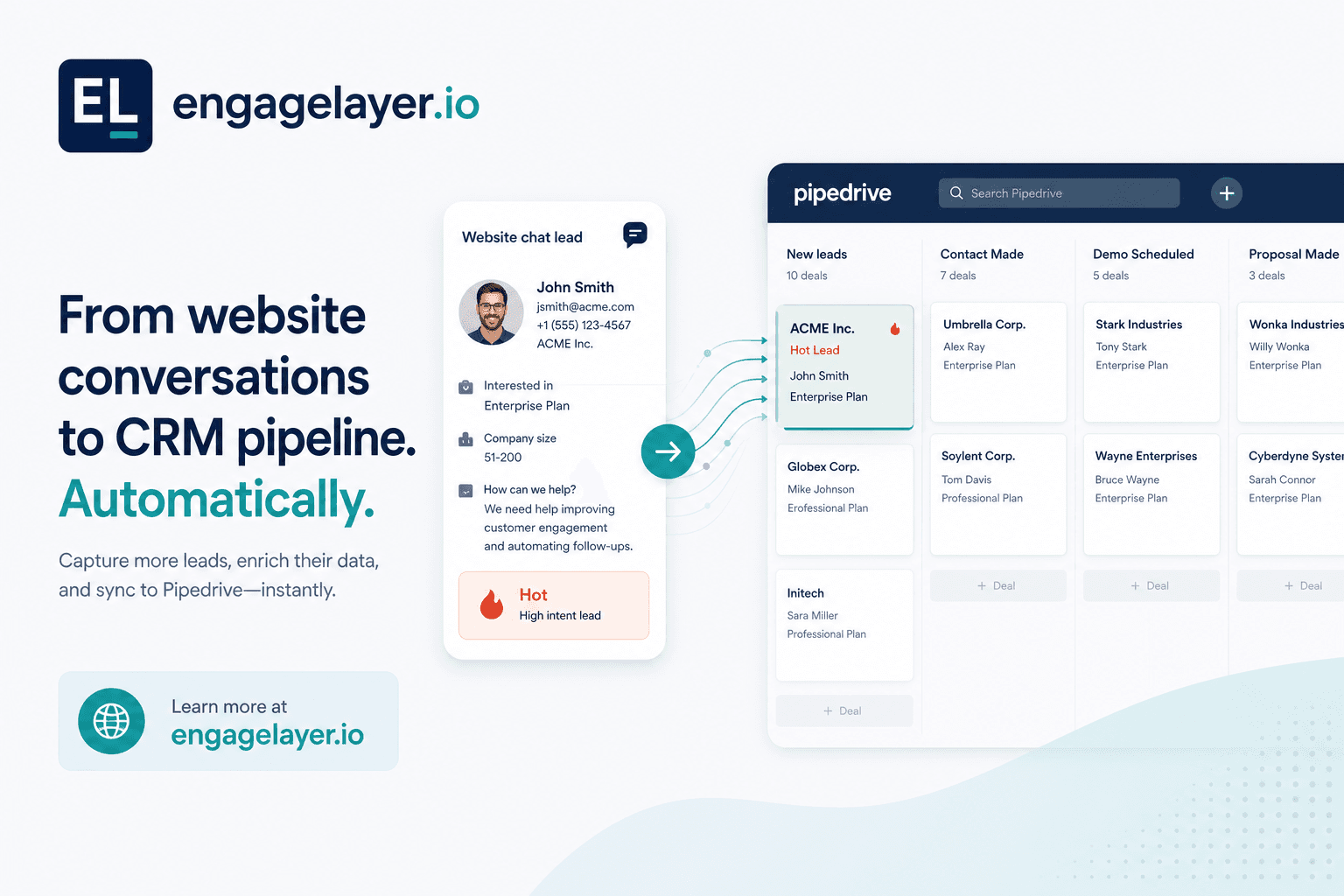
El chatbot LeadBooster de Pipedrive ejecuta playbooks scriptables para una captación estructurada: cualificar, enrutar, reservar. Es fuerte cuando cada visitante debe seguir los mismos pasos. Es más débil cuando la gente hace preguntas abiertas de producto, precios o políticas que necesitan respuestas desde tus documentos. engagelayer.io responde desde conocimiento aprobado, cualifica la intención en el chat y puede entregar leads Hot, Warm o Cool a Pipedrive después de conectar y hacer push manual desde el panel en MVP. El correo y los webhooks siempre están disponibles.
Qué hace de verdad el chatbot LeadBooster de Pipedrive
El chatbot web de Pipedrive (a menudo vendido como parte de LeadBooster) se construye alrededor de playbooks. Defines un flujo: saludar al visitante, hacer preguntas de cualificación, recoger datos de contacto, enrutar al owner correcto u ofrecer un enlace de reserva. El bot sigue el guion que escribiste. Cuando el visitante se mantiene en ese camino, la experiencia es rápida y predecible.
Ese diseño encaja en equipos que ya conocen las cinco preguntas que separan un buen lead del ruido. Marketing ops puede afinar el copy, ramificar según respuestas y mantener limpios los campos del CRM porque el bot solo pregunta lo que programaste. Para seguimiento de ferias, solicitudes de demo o enrutado por territorio, un playbook fijo suele superar a un chat libre.
Dónde ganan los playbooks scriptables
- Cualificación estructurada con opciones de respuesta fijas y ramas claras
- Enrutado por región, segmento o tamaño de deal antes de que un humano tome el hilo
- Reserva en calendario o traspaso a un rep en vivo cuando el guion alcanza un disparador
- Captación consistente cuando el tráfico es alto y no puedes permitirte respuestas vagas
Si el trabajo del sitio es sobre todo «capturar quiénes son y qué quieren», el chat estilo LeadBooster lo hace bien. Ventas recibe una persona, una empresa y una intención etiquetada sin leer una transcripción larga.
Encaja cuando la página tiene un solo trabajo y la respuesta ya se conoce. En cuanto el visitante necesita contexto antes de convertir, la conversación deja de ser sobre enrutar y pasa a ser sobre ayudar.
Dónde se quedan cortos los chatbots de playbook
Muchos compradores B2B no llegan con una sola intención. Preguntan cómo se compara tu producto con un competidor, si soportas SSO, cuál es tu política de retención de datos o cómo escala el precio a 200 asientos. Un bot scriptable ignora la pregunta, vuelve a un menú o adivina. Ninguno de esos resultados genera confianza en una página de precios o seguridad.
Los playbooks también envejecen rápido. Cada nuevo SKU, cambio de política o actualización de FAQ implica editar ramas. Los equipos sin un owner de ops dedicado a menudo dejan caminos obsoletos en vivo, lo cual es peor que no tener chat.
Chatbot LeadBooster vs IA anclada en conocimiento
| Capacidad | Chatbot LeadBooster de Pipedrive | IA anclada en conocimiento (engagelayer.io) |
|---|---|---|
| Trabajo principal | Ejecutar playbooks scriptados para captación, enrutado y reserva | Responder preguntas abiertas desde conocimiento de empresa aprobado y luego cualificar |
| Mejor momento del visitante | El visitante sabe lo que quiere y seguirá tus pasos | El visitante investiga detalles de producto, precios, seguridad o políticas |
| Fuente de respuestas | Texto y lógica que escribiste en el playbook | Recuperación desde tu FAQ, docs y conocimiento CSV que aprobaste |
| Preguntas desconocidas | Ramas de fallback o prompts de traspaso que configuras | Admite lagunas, cita fuentes, puede capturar un lead en lugar de inventar |
| Salida del lead | Campos y etiquetas definidos en el flujo del playbook | Transcripción, temperatura (Hot / Warm / Cool), señales de interés, siguiente paso recomendado |
| Entrega a Pipedrive | Nativa del producto de chat de Pipedrive | Conectar Pipedrive en engagelayer.io y luego hacer push de leads cualificados (push manual en MVP; correo y webhook siempre disponibles) |
| Mantenimiento | Editar ramas del playbook cuando cambian ofertas o rutas | Actualizar fuentes de conocimiento; las reglas de cualificación se mantienen aparte del contenido |
La elección es simple cuando separas los trabajos. Usa un playbook cuando el visitante debe permanecer en rieles. Usa anclaje en conocimiento cuando la respuesta tiene que venir primero del contenido aprobado.
Cuándo usar LeadBooster, IA de conocimiento o ambos
Usa LeadBooster solo cuando
El tráfico es simple: solicitudes de demo, referidos de partners o landing pages de eventos con una oferta. Raras veces necesitas respuestas a nivel documento antes de capturar, y tu playbook ya mapea respuestas a owners y etapas de deal.
En ese caso, la velocidad de un playbook importa más que la profundidad de una conversación. Optimizas un traspaso limpio, no una educación larga.
Usa un asistente anclado en conocimiento solo cuando
Los visitantes llegan con preguntas de investigación. Tu sitio lleva contenido denso de producto, cumplimiento o precios, y ventas pierde tiempo re-respondiendo los mismos hilos por correo. Quieres respuestas ancladas en material aprobado, con citas en las que ventas pueda confiar, antes de que alguien rellene un formulario.
Ahí es donde un asistente de conocimiento gana su sitio. Responde la pregunta sin inventar detalles y aún deja espacio para cualificar el lead después de que el visitante obtiene lo que vino a buscar.
Ejecuta ambos cuando
Las páginas de marketing necesitan respuestas profundas mientras las páginas de alta intención siguen necesitando un guion ajustado. Un patrón habitual: IA de conocimiento en páginas de producto y docs, LeadBooster en un camino dedicado «Hablar con ventas». Mantén el messaging coherente para no preguntar lo mismo dos veces. Alinea nombres de campos y etiquetas de temperatura con cómo está staged tu pipeline de Pipedrive.
No necesitas que una sola herramienta posea cada página. El setup útil es mixto: cada superficie hace lo que mejor sabe hacer y entrega limpio al siguiente paso.
Lo que recibe ventas más allá de una ficha de contacto vacía
Un nombre y un correo en Pipedrive son un comienzo, no un briefing. engagelayer.io adjunta contexto del chat para que la primera respuesta humana sea relevante.
- Transcripción o resumen de lo que preguntó el visitante y lo que respondió el asistente
- Temperatura (Hot, Warm, Cool) según señales de intención durante la conversación
- Etiquetas de interés como precios, integración, seguridad o timeline
- Siguiente paso recomendado, por ejemplo enviar un pack de seguridad, reservar una demo o nutrir
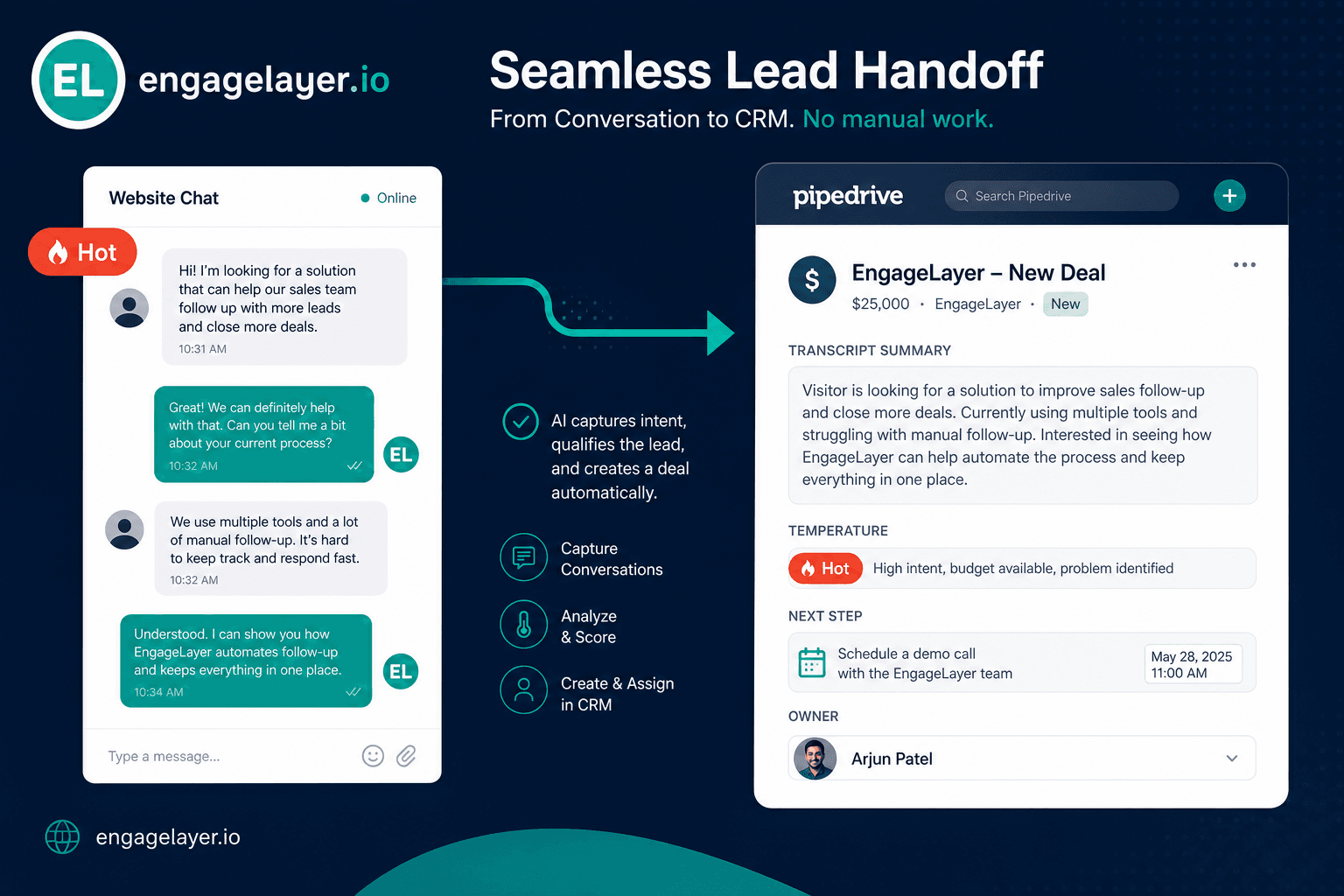
Los reps abren el deal sabiendo ya si el visitante comparaba vendors o confirmaba una checklist de procurement. Eso corta el bucle de «¿qué necesitabas otra vez?» y acorta el tiempo hasta una primera llamada útil.
Errores que cometen los equipos con chat web y Pipedrive
Tratar cada página como un reemplazo de formulario es el error más común. Los playbooks en páginas densas de contenido frustran a quien investigaba y necesitaba primero una respuesta directa. Rebotan o abren la pestaña de un competidor mientras tu bot insiste en un correo.
Dejar que el bot invente respuestas es el segundo modo de fallo. Los widgets genéricos alucinan funciones que no entregas. Ancla las respuestas en conocimiento aprobado, o configura un fallback honesto que capture un lead en lugar de adivinar.
Sincronizar campos sin sincronizar contexto crea churn silencioso. Un contacto llega a Pipedrive con «Website chat» como fuente pero sin transcripción, sin temperatura y sin siguiente paso. Inside sales trata cada registro igual, así que los hilos calientes se enfrían en la cola.
Duplicar la cualificación en cada herramienta es otra trampa. Si LeadBooster ya preguntó presupuesto y timeline, no hagas que el asistente de conocimiento lo pregunte otra vez en la siguiente página. Mapea un solo modelo de cualificación entre widgets y etapas del CRM.
Asumir que el push al CRM es totalmente automático el primer día lleva a decepción. En el MVP de engagelayer.io, conectas Pipedrive y haces push manual de leads cualificados desde el panel cuando estás listo. Los resúmenes por correo y los webhooks siempre están ahí para la automatización que controlas. Planifica quién revisa los chats antes del push hasta que tus reglas de enrutado sean estables.
Cómo trabaja engagelayer.io con Pipedrive hoy
engagelayer.io no es un reemplazo de Pipedrive ni de LeadBooster. Es una capa de engagement IA para el sitio: cargar conocimiento aprobado, incrustar una etiqueta script, chatear con visitantes, cualificar demanda y entregar leads a sistemas que ya usas.
- Añade conocimiento FAQ, texto o CSV en el panel para que las respuestas sigan on-brand
- Incrusta el widget con tu clave pública; sin cambios de backend en tu sitio de marketing
- Conecta Pipedrive y luego haz push manual de leads cualificados desde el panel en MVP
- Usa resúmenes por correo o un webhook personalizado para enrutado, alertas o automatización downstream
Eso mantiene el primer rollout bajo control. Puedes revisar la transcripción, confirmar la temperatura y decidir cuándo un lead merece un push al CRM en lugar de automatizar la decisión demasiado pronto.