Integracje
Chatbot Pipedrive vs asystent AI na stronie: kiedy którego używać
Porównaj playbooki chatbota LeadBooster w Pipedrive z asystentem AI opartym na wiedzy firmowej. Kiedy używać którego narzędzia, obu naraz i jak wysyłać zakwalifikowane leady do Pipedrive.
Autor
The EngageLayer product & content team — guides on AI website assistants, knowledge-grounded answers, and B2B lead qualification.
Krótka odpowiedź
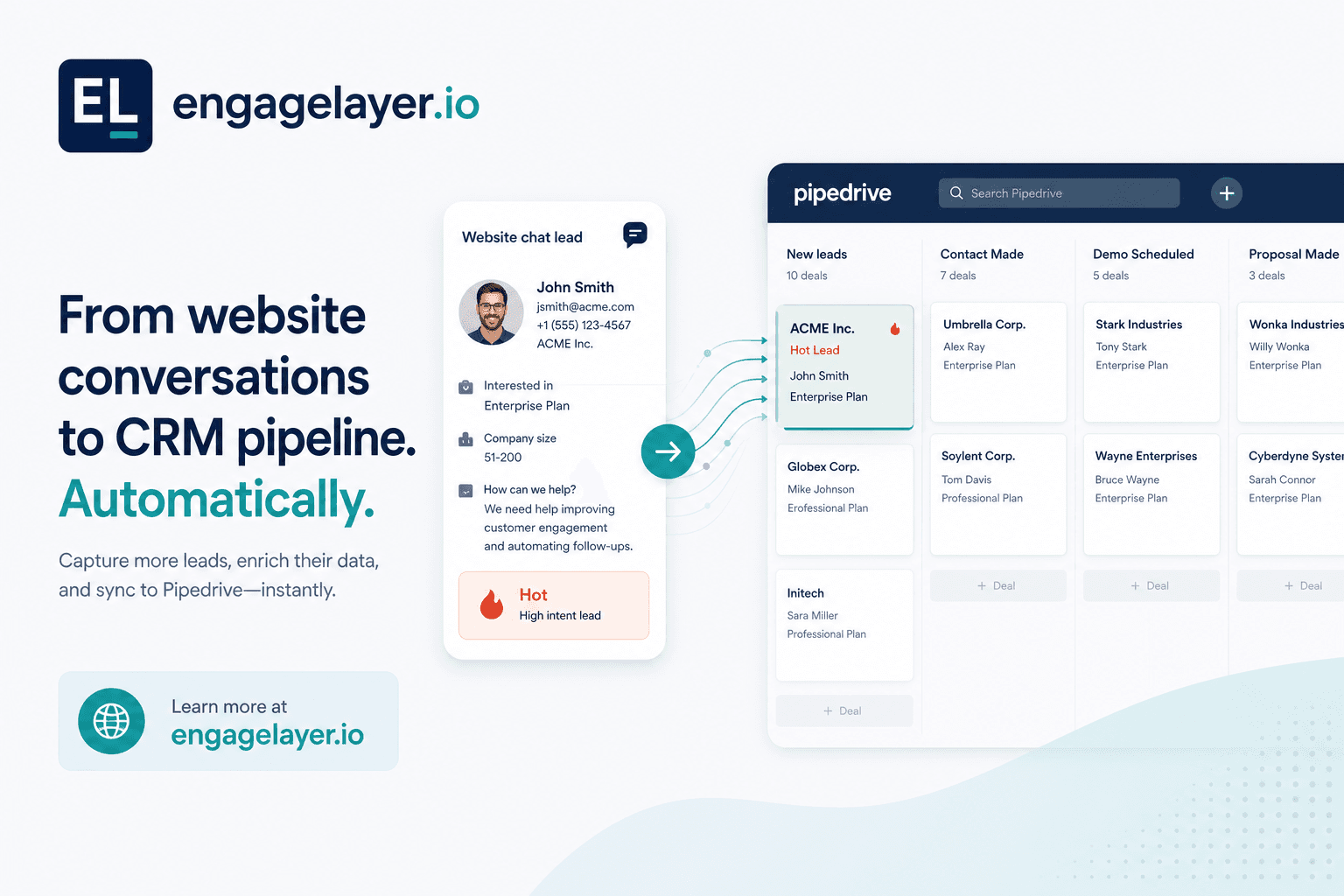
Chatbot LeadBooster w Pipedrive prowadzi skryptowalne playbooki do strukturalnego zbierania danych: kwalifikuj, kieruj, rezerwuj. To mocne, gdy każdy odwiedzający ma przejść te same kroki. Słabnie, gdy ludzie zadają otwarte pytania o produkt, ceny lub polityki i potrzebują odpowiedzi z Twoich dokumentów. engagelayer.io odpowiada na podstawie zatwierdzonej wiedzy, kwalifikuje intencję w czacie i może dostarczać leady Hot, Warm lub Cool do Pipedrive po połączeniu i ręcznym pushu z pulpitu w MVP. E-mail i webhooki są zawsze dostępne.
Co naprawdę robi chatbot LeadBooster w Pipedrive
Chatbot na stronie Pipedrive (często sprzedawany w ramach LeadBooster) opiera się na playbookach. Definiujesz przepływ: powitaj odwiedzającego, zadaj pytania kwalifikujące, zbierz dane kontaktowe, skieruj do właściwego właściciela lub zaproponuj link do rezerwacji. Bot podąża za skryptem, który napisałeś. Gdy odwiedzający zostaje na tej ścieżce, doświadczenie jest szybkie i przewidywalne.
Ten projekt pasuje zespołom, które już znają pięć pytań oddzielających dobry lead od szumu. Marketing ops może dopracować copy, rozgałęziać po odpowiedziach i utrzymywać czyste pola CRM, bo bot pyta tylko o to, co zaprogramowałeś. Przy follow-upie po targach, prośbach o demo lub routingu terytorialnym stały playbook często wygrywa z wolnym czatem.
Gdzie wygrywają skryptowalne playbooki
- Strukturalna kwalifikacja ze stałymi opcjami odpowiedzi i jasnymi rozgałęzieniami
- Routing według regionu, segmentu lub wielkości dealu zanim człowiek przejmie wątek
- Rezerwacja w kalendarzu lub przekazanie żywemu handlowcowi, gdy skrypt osiąga trigger
- Spójne zbieranie danych przy wysokim ruchu, gdy nie stać Cię na niejasne odpowiedzi
Jeśli zadanie strony to głównie «uchwycić kim są i czego chcą», czat w stylu LeadBooster robi to dobrze. Sprzedaż dostaje osobę, firmę i oznaczoną intencję bez czytania długiej transkrypcji.
To dobry fit, gdy strona ma jedno zadanie, a odpowiedź jest już znana. Gdy tylko odwiedzający potrzebuje kontekstu przed konwersją, rozmowa przestaje być o routingu i zaczyna być o pomocy.
Gdzie chatboty oparte na playbookach zawodzą
Wielu kupujących B2B nie przychodzi z jedną intencją. Pytają, jak Twój produkt wypada na tle konkurenta, czy wspieracie SSO, jaka jest polityka retencji danych albo jak skaluje się pricing przy 200 miejscach. Skryptowalny bot albo ignoruje pytanie, wraca do menu, albo zgaduje. Żaden z tych wyników nie buduje zaufania na stronie cen lub bezpieczeństwa.
Playbooki też szybko się starzeją. Każdy nowy SKU, zmiana polityki lub aktualizacja FAQ oznacza edycję gałęzi. Zespoły bez dedykowanego właściciela ops często zostawiają przestarzałe ścieżki na żywo, co jest gorsze niż brak czatu.
Chatbot LeadBooster vs AI oparta na wiedzy
| Zdolność | Chatbot LeadBooster Pipedrive | AI oparta na wiedzy (engagelayer.io) |
|---|---|---|
| Główne zadanie | Uruchamiać skryptowane playbooki do zbierania, routingu i rezerwacji | Odpowiadać na otwarte pytania z zatwierdzonej wiedzy firmowej, potem kwalifikować |
| Najlepszy moment odwiedzającego | Odwiedzający wie, czego chce, i przejdzie Twoje kroki | Odwiedzający bada szczegóły produktu, cen, bezpieczeństwa lub polityk |
| Źródło odpowiedzi | Tekst i logika wpisane do playbooka | Pobieranie z FAQ, dokumentów i wiedzy CSV, które zatwierdziłeś |
| Nieznane pytania | Gałęzie fallback lub prompty przekazania, które konfigurujesz | Przyznaje luki, cytuje źródła, może uchwycić lead zamiast wymyślać |
| Wynik leada | Pola i etykiety zdefiniowane w przepływie playbooka | Transkrypcja, temperatura (Hot / Warm / Cool), sygnały zainteresowania, rekomendowany następny krok |
| Dostawa do Pipedrive | Natywna dla produktu czatu Pipedrive | Połącz Pipedrive w engagelayer.io, potem wypchnij zakwalifikowane leady (ręczny push w MVP; e-mail i webhook zawsze dostępne) |
| Utrzymanie | Edytuj gałęzie playbooka, gdy zmieniają się oferty lub trasy | Aktualizuj źródła wiedzy; reguły kwalifikacji pozostają oddzielone od treści |
Wybór jest prosty, gdy rozdzielisz zadania. Użyj playbooka, gdy odwiedzający ma zostać na szynach. Użyj ugruntowania w wiedzy, gdy odpowiedź musi najpierw pochodzić z zatwierdzonej treści.
Kiedy LeadBooster, AI wiedzy, a kiedy oba
Używaj samego LeadBoostera, gdy
Ruch jest prosty: prośby o demo, referral partnerów lub landingi eventowe z jedną ofertą. Rzadko potrzebujesz odpowiedzi na poziomie dokumentów przed przechwyceniem, a Twój playbook już mapuje odpowiedzi na właścicieli i etapy dealu.
Wtedy szybkość playbooka liczy się bardziej niż głębokość rozmowy. Optymalizujesz czyste przekazanie, nie długą edukację.
Używaj samego asystenta opartego na wiedzy, gdy
Odwiedzający przychodzą z pytaniami badawczymi. Twoja strona niesie gęste treści produktowe, compliance lub cenowe, a sprzedaż traci czas na ponowne odpowiadanie na te same wątki mailem. Chcesz odpowiedzi ugruntowanych w zatwierdzonym materiale, z cytatami, którym sprzedaż ufa, zanim ktoś wypełni formularz.
To właśnie tam asystent wiedzy zarabia swoje miejsce. Odpowiada na pytanie bez wymyślania szczegółów i nadal zostawia miejsce na kwalifikację leada, gdy odwiedzający już dostał to, po co przyszedł.
Uruchamiaj oba, gdy
Strony marketingowe potrzebują głębokich odpowiedzi, a strony o wysokiej intencji nadal potrzebują zwartego skryptu. Częsty wzorzec: AI wiedzy na stronach produktu i docs, LeadBooster na dedykowanej ścieżce «Porozmawiaj ze sprzedażą». Utrzymuj spójny messaging, żeby nie pytać dwa razy o to samo. Dopasuj nazwy pól i etykiety temperatury do stagingu pipeline'u Pipedrive.
Nie potrzebujesz jednego narzędzia na każdą stronę. Przydatny setup jest mieszany: każda powierzchnia robi to, w czym jest najlepsza, i czysto przekazuje do następnego kroku.
Co sprzedaż dostaje poza gołą kartą kontaktu
Imię i e-mail w Pipedrive to początek, nie briefing. engagelayer.io dołącza kontekst z czatu, żeby pierwsza ludzka odpowiedź była trafna.
- Transkrypcja lub podsumowanie tego, o co pytał odwiedzający i co odpowiedział asystent
- Temperatura (Hot, Warm, Cool) na podstawie sygnałów intencji w rozmowie
- Tagi zainteresowań, np. pricing, integracja, bezpieczeństwo lub timeline
- Rekomendowany następny krok, na przykład wyślij pakiet security, zarezerwuj demo lub nurture
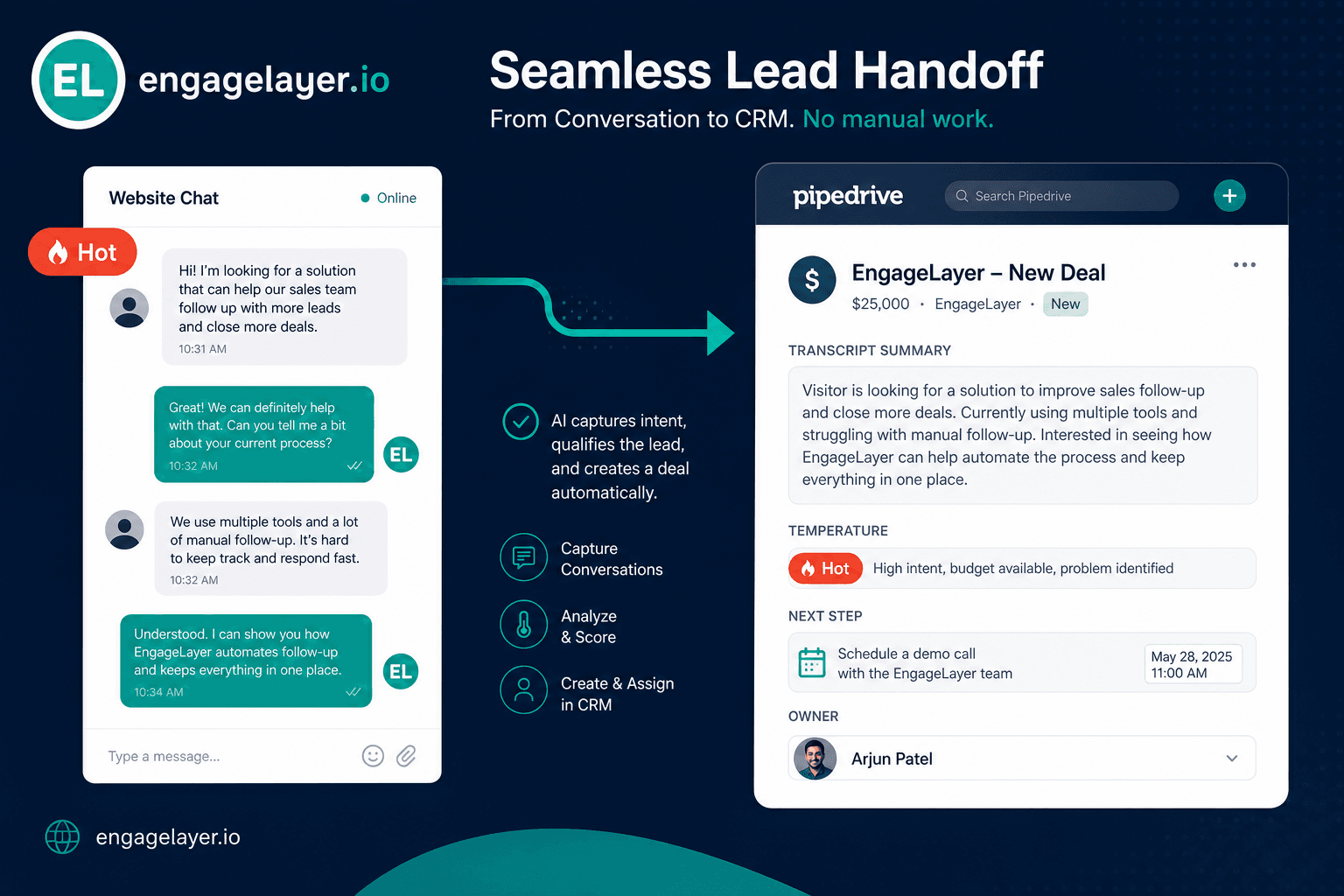
Handlowcy otwierają deal już wiedząc, czy odwiedzający porównywał dostawców, czy potwierdzał checklistę zakupową. To skraca pętlę «czego właściwie potrzebowaliście?» i czas do pierwszej użytecznej rozmowy.
Błędy, które zespoły robią z czatem na stronie i Pipedrive
Traktowanie każdej strony jak zamiennika formularza to najczęstszy błąd. Playbooki na stronach pełnych treści frustrują badaczy, którzy najpierw potrzebowali bezpośredniej odpowiedzi. Odchodzą lub otwierają kartę konkurenta, podczas gdy Twój bot upiera się przy e-mailu.
Pozwalanie botowi wymyślać odpowiedzi to drugi tryb awarii. Generyczne widgety halucynują funkcje, których nie dostarczasz. Ugruntuj odpowiedzi w zatwierdzonej wiedzy albo skonfiguruj uczciwy fallback, który przechwytuje lead zamiast zgadywać.
Synchronizacja pól bez synchronizacji kontekstu tworzy cichy churn. Kontakt ląduje w Pipedrive ze źródłem «Website chat», ale bez transkrypcji, temperatury i następnego kroku. Inside sales traktuje każdy rekord tak samo, więc gorące wątki stygną w kolejce.
Duplikowanie kwalifikacji w każdym narzędziu to kolejna pułapka. Jeśli LeadBooster już zapytał o budżet i timeline, nie każ asystentowi wiedzy pytać ponownie na następnej stronie. Zmapuj jeden model kwalifikacji przez widgety i etapy CRM.
Założenie, że push do CRM jest w pełni automatyczny od pierwszego dnia, prowadzi do rozczarowania. W MVP engagelayer.io łączysz Pipedrive i ręcznie wypychasz zakwalifikowane leady z pulpitu, gdy jesteś gotowy. Podsumowania e-mail i webhooki zawsze są pod ręką do automatyzacji, którą kontrolujesz. Zaplanuj, kto przegląda czaty przed pushem, aż reguły routingu będą stabilne.
Jak engagelayer.io działa z Pipedrive dziś
engagelayer.io nie zastępuje Pipedrive ani LeadBoostera. To warstwa engagement AI na stronie: załaduj zatwierdzoną wiedzę, osadź jeden tag skryptu, rozmawiaj z odwiedzającymi, kwalifikuj popyt i dostarczaj leady do systemów, których już używasz.
- Dodaj wiedzę FAQ, tekstową lub CSV w pulpicie, żeby odpowiedzi pozostały on-brand
- Osadź widget z kluczem publicznym; bez zmian backendu na stronie marketingowej
- Połącz Pipedrive, potem ręcznie wypchnij zakwalifikowane leady z pulpitu w MVP
- Używaj podsumowań e-mail lub własnego webhooka do routingu, alertów albo automatyzacji downstream
To utrzymuje pierwszy rollout pod kontrolą. Możesz przejrzeć transkrypcję, potwierdzić temperaturę i zdecydować, kiedy lead zasługuje na push do CRM, zamiast automatyzować decyzję za wcześnie.