Strategy
How to Qualify Website Leads Through Conversation (Not Forms)
Qualify inbound website visitors in conversation after grounded answers. ICP signals, when to ask for email, Hot/Warm/Cool routing, and CRM payload for Pipedrive.
Quick answer
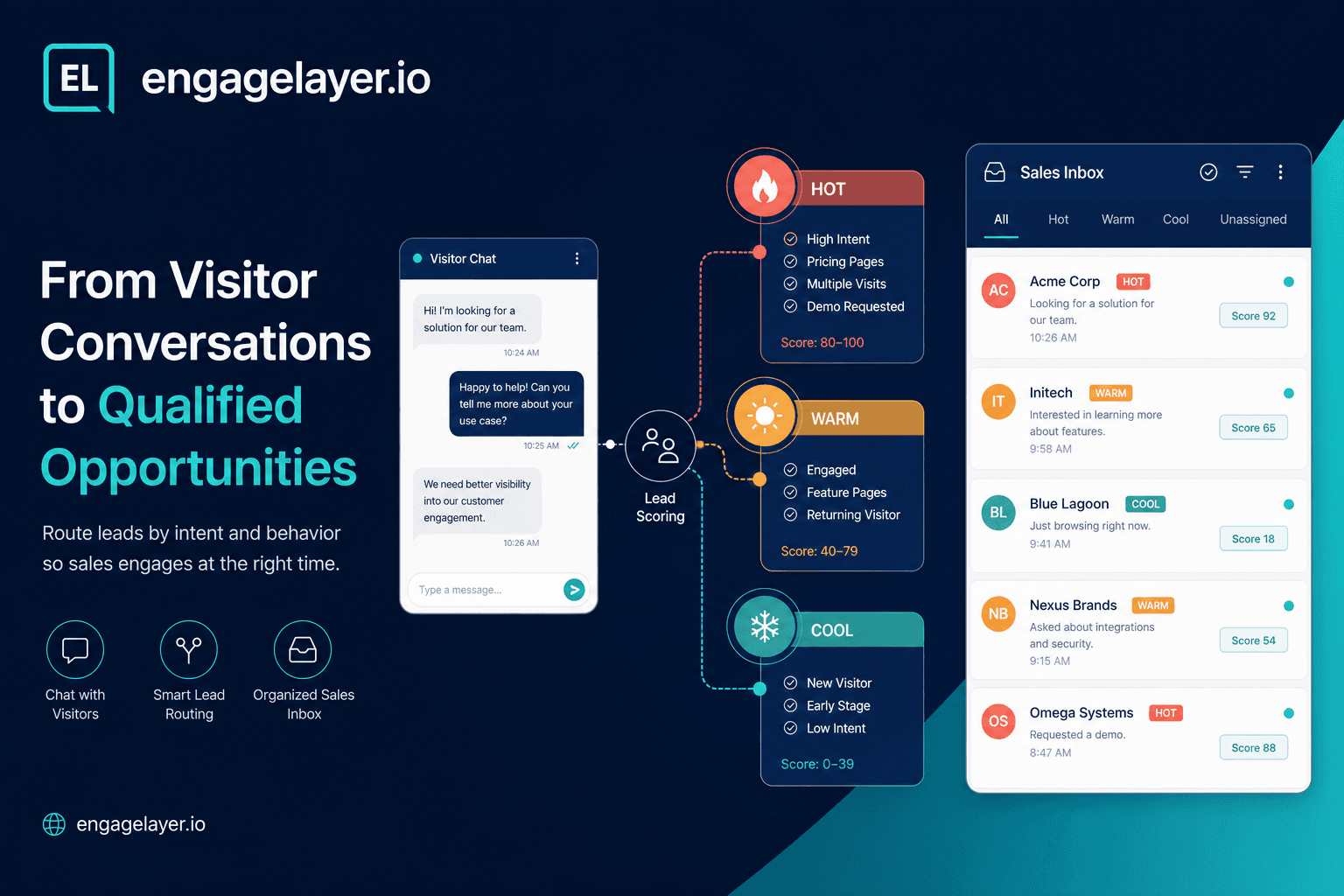
Qualify inbound visitors after the assistant answers from approved knowledge, not before. Listen for ICP signals during the chat, ask for email only when intent is clear, score Hot / Warm / Cool for sales, and send transcript, interest, temperature, and next step to Pipedrive, email, or a webhook.
Why B2B teams still miss qualified inbound demand
Most B2B sites still treat every visitor the same: a static form, a calendar link, or a chat widget that pushes contact details before anyone has earned trust. Sales then spends time on vague "just browsing" submissions while buyers with budget and a timeline leave without a trace.
Conversational lead qualification fixes the order of operations. The visitor gets a useful answer first. Qualification happens inside that exchange: role, company size, use case, timeline, and buying signals surface naturally. Your team receives a lead with context, not a blank form field.
Answer from knowledge first, qualify second
On engagelayer.io the assistant replies only from your approved knowledge: FAQ entries, product pages, pricing notes you have loaded, integration docs, and support content. If pricing is not in the knowledge base, the assistant says so and offers a follow-up path instead of inventing numbers.
That grounding matters for qualification. When a visitor asks how your product connects to Pipedrive or what onboarding looks like, they learn something real. Their next questions reveal intent: implementation timeline, team size, comparison with a named competitor. You qualify on signal density, not on how fast you collect an email.
ICP signals to listen for in chat
Your ideal customer profile should translate into observable chat signals. You do not need twenty checkbox fields. You need a short list of facts that change how sales prioritizes the thread.
- Company or team identified (name, industry, headcount band)
- Role that can buy or strongly influence (ops lead, founder, IT manager)
- Clear pain tied to your product category (manual handoffs, slow response, bad CRM data)
- Use case specificity (integration with Pipedrive, multi-site rollout, compliance requirement)
- Timeline language (this quarter, before renewal, evaluating now)
- Budget or volume hints (seat count, deal size band, current tool spend)
- High-intent page context (pricing, demo, integrations, contact-sales URL)
- Business email domain instead of a personal mailbox
engagelayer.io scores these signals automatically. Each match adds weight. A visitor who names a company, asks about implementation, and requests a demo accumulates more points than someone who only read the homepage FAQ.
When to ask for email (and when not to)
Asking for email on the first message trains visitors to treat your widget like spam. The better pattern is progressive capture: answer the question, offer one relevant follow-up, then invite contact details when the conversation has clear commercial intent.
Good moments to ask include: the visitor requested pricing or a demo, asked about contract terms, described a project with a timeline, or hit a knowledge gap you cannot close in chat (custom quote, security review, enterprise tier). Weak moments include: generic "what do you do" questions, single-message exits, or clearly out-of-ICP requests where a polite redirect is enough.
Always pair the ask with a reason. "I can have someone send a scoped quote for your Pipedrive setup. What is the best work email?" beats "Please leave your email" with no context.
Hot, Warm, and Cool: what sales should do next
Temperature is a prioritization label, not a moral judgment. engagelayer.io maps conversation signals to a 0–100 score, then assigns a band: Hot at 70 and above, Warm from 40 to 69, Cool below 40. Sales can filter the inbox instead of reading every transcript from scratch.
| Band | Typical signals | Recommended sales action |
|---|---|---|
| Hot | Demo or pricing request, decision-maker hint, timeline this quarter, business email, long engaged thread | Personal follow-up within hours; reference their exact questions in the outreach |
| Warm | Clear use case, some company context, moderate message depth, interest but no urgent timeline | Follow up within one to two business days with a tailored resource or short call offer |
| Cool | Early research, vague interest, short visit, personal email only, off-ICP fit | Add to nurture sequence or send one helpful link; do not burn rep time on immediate calls |
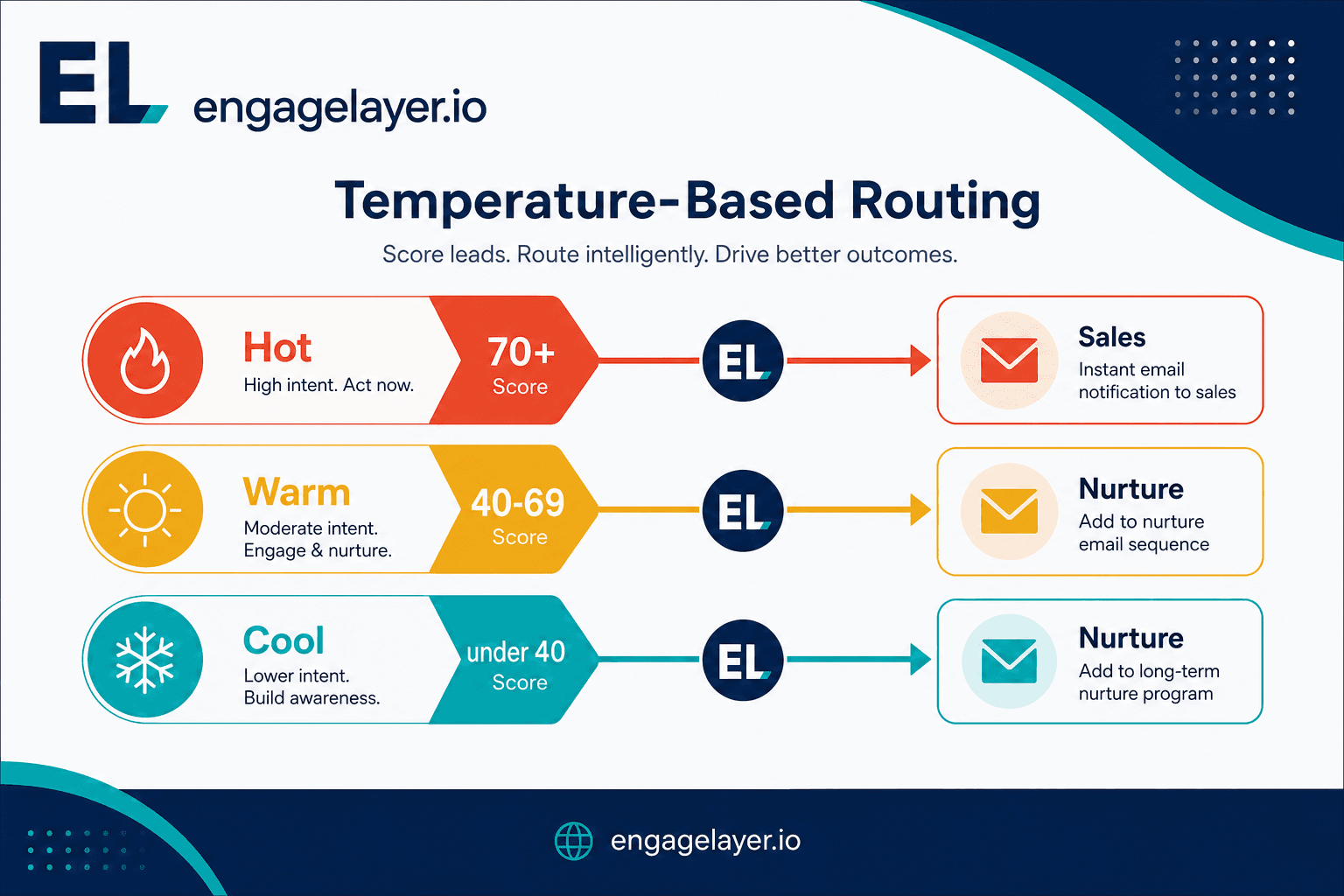
The bands are there to keep the team aligned on urgency. Hot means act fast, Warm means stay relevant, and Cool means keep the follow-up lighter until the buyer shows more intent.
What should reach your CRM
A qualified lead is useless if CRM only stores name and email. The minimum payload sales needs from a conversational capture:
- Full transcript or AI summary of the conversation
- Primary interest area (e.g. Pipedrive integration, pricing tier, security review)
- Lead temperature (Hot / Warm / Cool) and score
- Recommended next step in plain language
- Contact fields collected with consent (name, email, phone, company)
- Source URL and language when available
- Matched qualification signals for audit (asked demo, timeline mentioned, etc.)
In MVP, engagelayer.io connects to Pipedrive with manual push from the dashboard. Email summaries and custom webhooks are always available for other stacks or interim routing. HubSpot, Salesforce, and similar native connectors are not shipped yet; use webhook or email until your onboarding path adds a direct integration.
Consent and contact capture
Consent is explicit, not implied. Before persisting email or phone, the assistant should state what happens next: who will contact the visitor, which channel, and that they can opt out. Store consent timestamp and the wording shown. This keeps you aligned with GDPR-style expectations and reduces complaints when sales calls within the hour on a Hot lead.
Do not silently scrape emails from message text unless your policy and UI make that clear. Progressive forms inside the widget, triggered after value is delivered, convert better and create a cleaner audit trail.
Routing: Pipedrive, email, and webhook
Most teams start with email summaries to a shared sales inbox while they tune qualification rules. When Pipedrive is connected, reps push Hot leads into a pipeline stage with the transcript attached. Webhooks fit RevOps teams that enrich leads in a middleware layer before CRM insert.
- Pipedrive (MVP native): manual push with interest, temperature, and conversation link
- Email: always-on digest per captured lead for small teams
- Webhook: JSON payload to your endpoint for custom CRM or Slack-style alerts
Route Hot leads to immediate owners, Warm to a shared queue, and Cool to marketing automation only if you have a nurture track. Misrouting Cool leads to senior reps is one of the fastest ways to kill adoption.
Qualification questions that work in practice
Questions should feel like a helpful consultant, not a survey. Tie each ask to something the visitor already said.
- You mentioned rolling this out to several client sites. Roughly how many properties would use the assistant in the first phase?
- Are you evaluating this for your own team, or on behalf of clients you support?
- What CRM are you on today, and do you need conversations logged there automatically?
- Is there a deadline driving the search, such as a contract renewal or a launch date?
- Who besides you would need to sign off on a tool like this?
- Would a 20-minute walkthrough focused on your Pipedrive workflow be useful, or do you prefer written pricing first?
One strong question per turn beats a five-field form dumped mid-chat. Let the visitor answer, then deepen only where the reply opens a real qualification path.
Mistakes that waste rep time
Gating every answer behind an email field is the most common failure. Visitors bounce before they learn anything, and the contacts you do collect skew toward bots and job seekers. Lead volume looks fine in a spreadsheet; pipeline quality does not.
Letting the assistant invent pricing or policy destroys trust in one message. If your knowledge base omits list prices, train the fallback to offer a human follow-up. A wrong number in chat is harder to undo than silence.
Sending every lead to sales with equal urgency burns your team. Without Hot / Warm / Cool bands, reps ignore the inbox because everything looks the same. Tune thresholds after two weeks of real traffic instead of guessing on day one.
Dropping only name and email into CRM forces reps to re-interview the buyer. The transcript and recommended next step are the product of the chat; omit them and you paid for automation but kept manual work.
Qualifying before you have content to answer from produces confident-sounding nonsense. Load FAQ, product, and integration knowledge first, then turn on aggressive capture rules.
Launch checklist
A good launch is mostly a discipline check. The assistant should answer from approved content, the scoring should reflect how your team actually works, and the handoff should be visible before you let the widget run on important pages.
- Approved knowledge loaded: FAQ, product copy, pricing notes you stand behind, integration pages
- ICP signal list written and mapped to scoring weights
- Progressive email capture rules defined (minimum message depth or intent trigger)
- Hot / Warm / Cool thresholds reviewed with sales (default 70 / 40 cutoffs)
- Consent copy approved for your jurisdiction
- Pipedrive, email inbox, or webhook destination tested with a fake lead
- Preview chats run for top five visitor questions
- Widget embedded on high-intent pages (pricing, integrations, product)
- First-week review scheduled: which signals predicted closed conversations
Once those items are in place, you have enough signal to tune instead of guessing. The first week should tell you whether the questions are right, whether the thresholds are right, and whether the CRM payload is giving sales enough context to act.
Where engagelayer.io fits
engagelayer.io is an AI website engagement layer for B2B teams: approved knowledge, visitor chat, signal-based qualification, and delivery to Pipedrive, email, or webhook. It is not a CRM replacement and not a generic chatbot without grounding. You embed one script tag with your public key, configure knowledge and routing in the dashboard, and preview before publish.
If inbound visitors already read your docs but still leave without talking to sales, conversational qualification is the missing step between content marketing and pipeline. Start with grounded answers, add capture when intent is visible, and route temperature bands so reps call the right people first.